Bare-Metal Talos on a Recycled Supermicro 4-Node Chassis
The Problem
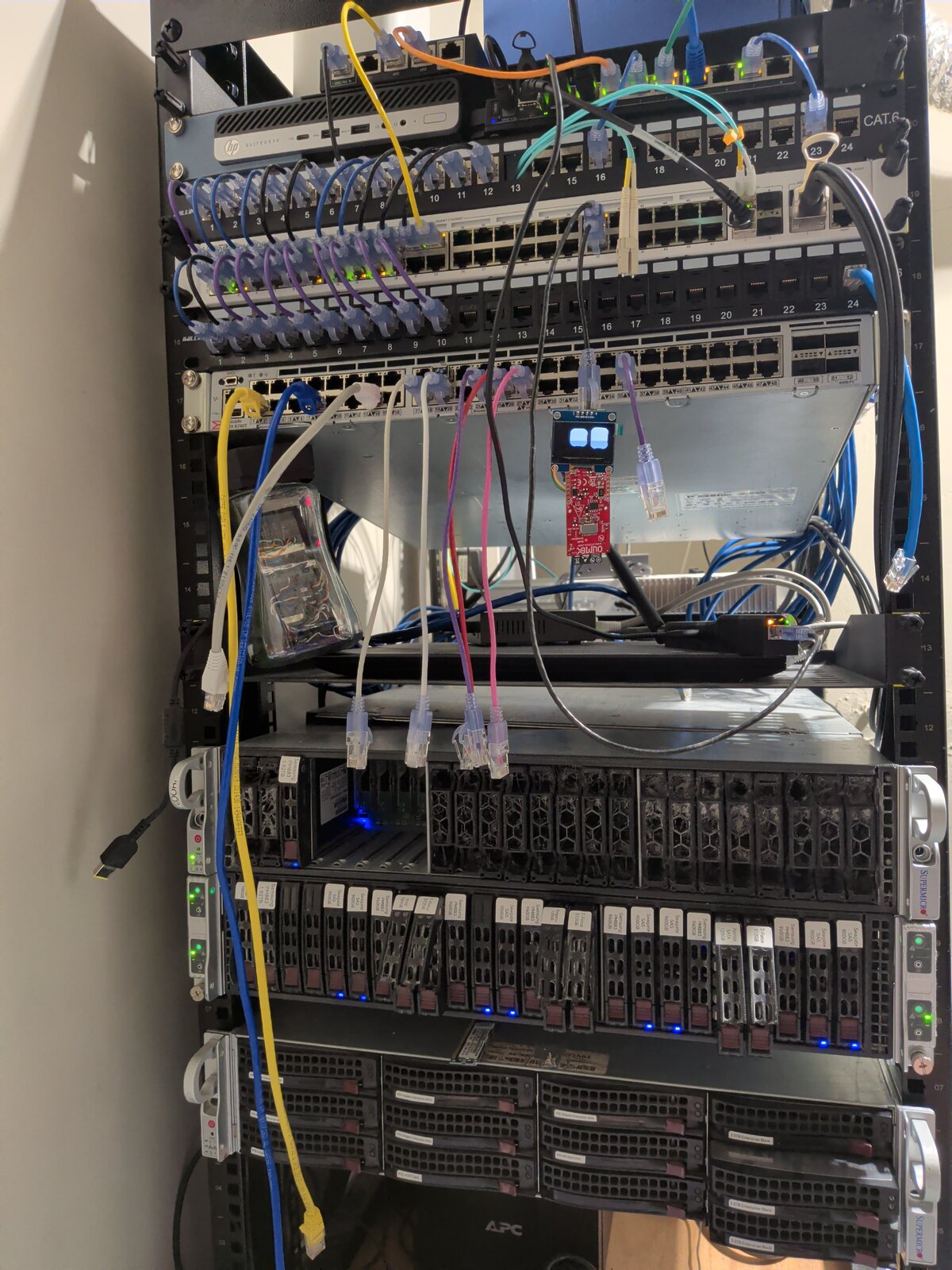
My previous production cluster (talos-02) ran as Proxmox VMs. It worked, but every VM layer between Kubernetes and the hardware is one more thing to manage, one more network hop to debug, and one more place to lose performance. When a used Supermicro 2028TP-HC showed up at a reasonable price, the plan wrote itself: four independent nodes in a 2U chassis, each with 2x Xeon E5-2630 v3 and 64GB of RAM.
Node-a keeps Proxmox for the workloads that still want a hypervisor. Nodes b, c, and d run Talos Linux directly on the metal - no hypervisor, no VM disks, no virtual NICs.
Why Talos on Bare Metal
Talos is a minimal, immutable, API-managed Linux built only to run Kubernetes. There is no SSH, no shell, no package manager - the entire machine is declared in a YAML config and applied over the network. For bare metal this is exactly what I want: if a node misbehaves, I re-apply the config or reset it. No pet servers to babysit.
I use talhelper to generate per-node configs from a single talconfig.yaml.
Cluster Definition
The interesting parts of talconfig.yaml:
clusterName: talos-metal
talosVersion: v1.13.2
kubernetesVersion: v1.36.0
endpoint: https://talos-metal.sirmysterion.com:6443
allowSchedulingOnControlPlanes: true
clusterPodNets:
  - 2001:db8:abcd:e0d0::/61
clusterSvcNets:
  - 2001:db8:abcd:e0de:7a10:5abc::/108
cniConfig:
  name: none
inlineManifests:
  - name: cilium
    contents: "@./cilium-ipv6.yaml"
    skipEnvsubst: true
  - name: cilium-bgp
    contents: "@./cilium-bgp.yaml"
    skipEnvsubst: true
Three decisions worth calling out:
- IPv6-only. Pod and service subnets are carved from my GUA prefix. No NAT, no overlay addressing - pods get real routable addresses, advertised northbound via BGP (covered in Part 1 and Part 2).
cniConfig: none. Talos does not install its default CNI. Instead the Cilium manifest is rendered from Helm and embedded as an inline manifest, so a fresh node comes up with the right CNI on first boot with zero manual steps.- All three nodes are control planes with workload scheduling enabled. With three machines, dedicating one to be a mostly-idle control plane is a waste of 64GB of RAM.
Disk Selection by WWID
A chassis full of recycled SAS disks means a chassis full of identical-looking disks.
/dev/sda is not a stable name when the SAS controller enumerates drives in whatever order it feels like today.
Talos lets you pin the install disk and user volumes by WWID:
nodes:
  - hostname: node-b
    ipAddress: 2001:db8:abcd:e0df:ec4:7aff:feba:bf86
    controlPlane: true
    machineSpec:
      mode: metal
      arch: amd64
      useUKI: false
      secureboot: false
    installDiskSelector:
      wwid: naa.5002538e09873d4e
    userVolumes:
      - name: data-storage
        provisioning:
          diskSelector:
            match: disk.wwid == 'naa.5002538e09873d4e'
          minSize: 50GiB
        filesystem:
          type: xfs
I also cap the EPHEMERAL partition so the rest of the install disk stays available for user volumes:
apiVersion: v1alpha1
kind: VolumeConfig
name: EPHEMERAL
provisioning:
  maxSize: 256GiB
Registry Mirrors via Spegel
Every node lists 127.0.0.1:30020 as its first registry mirror:
machine:
  registries:
    mirrors:
      docker.io:
        endpoints:
          - http://127.0.0.1:30020
          - https://registry-1.docker.io
      ghcr.io:
        endpoints:
          - http://127.0.0.1:30020
          - https://ghcr.io
That port is Spegel, a stateless P2P registry mirror running as a DaemonSet. If any node already has an image, its peers pull from it over the local network instead of the internet. On a three-node cluster where every DaemonSet image gets pulled three times, this is a noticeable win - and it keeps working when upstream registries have a bad day.
useUKI: false and secureboot: false are not nostalgia - they’re scars.
The LSI SAS controller in this chassis has legacy boot-time firmware (an “option ROM”) that does not get along with Secure Boot or Talos’s modern UKI boot path, no matter which combination of firmware settings I threw at it.
The classic non-UKI image is the only thing that reliably boots behind that controller.
Getting Talos onto the Disks
The unglamorous truth: each node’s boot SSD got the standard Talos metal-amd64 raw image written straight to it with dd, then went back into the chassis.
Talos boots into maintenance mode, and from there everything is API-driven - the config apply below does the actual install onto the WWID-selected disk.
Twenty minutes of manual work total, and thanks to in-place upgrades and API-driven resets, it’s work I haven’t had to repeat.
Bootstrap Workflow
The full lifecycle, from the repo:
# Render the Cilium inline manifest from Helm
helm template -f values-ipv6.yaml -n kube-system cilium cilium/cilium --version 1.18.5 > cilium-ipv6.yaml

# Generate per-node configs
talhelper genconfig

# First apply (nodes in maintenance mode)
talosctl apply-config --insecure --nodes <node-b> --file clusterconfig/talos-metal-node-b.yaml
talosctl apply-config --insecure --nodes <node-c> --file clusterconfig/talos-metal-node-c.yaml
talosctl apply-config --insecure --nodes <node-d> --file clusterconfig/talos-metal-node-d.yaml

# Bootstrap etcd on exactly one node
talosctl bootstrap --nodes <node-d> --talosconfig=clusterconfig/talosconfig

# Get kubeconfig
talosctl kubeconfig --nodes $CONTROL_PLANE_IP --talosconfig=clusterconfig/talosconfig
Upgrades are talhelper gencommand upgrade, and a node can be soft-reset without a reinstall:
talosctl --nodes <node> reset --system-labels-to-wipe EPHEMERAL,STATE --graceful=false --reboot
Debugging Without a Shell
No SSH does not mean no debugging.
talosctl debug drops a privileged container onto the node, and from there you can chroot into any running process’s filesystem.
This is how I talk to the BIRD2 routing daemon that runs as a system extension:
talosctl debug docker.io/library/alpine:latest --nodes <node>
chroot /proc/$(pgrep bird)/cwd /usr/local/sbin/birdcl
Scar Tissue
| Issue | Symptom | Fix |
|---|---|---|
| SAS enumeration order changes | Talos installs to the wrong disk | installDiskSelector.wwid, never device names |
| SLAAC on unused interfaces | Nodes pick up default routes on NICs that should be quiet | net.ipv6.conf.<iface>.accept_ra: "0" sysctls in machine config |
| kube-proxy conflicts with Cilium | Duplicate service handling | cluster.proxy.disabled: true, Cilium in kube-proxy replacement mode |
| kubelet picks the wrong node IP | Node registers with a link-local or wrong-subnet address | kubelet.nodeIP.validSubnets pinned to the loopback /64 |
| SAS controller vs Secure Boot / UKI | Firmware can’t see the boot disks, or UKI image never boots | useUKI: false, secureboot: false - some silicon just says no |
| API server only listens on IPv4 | Can’t reach the API over the IPv6-only network | bind-address: "::" extraArg, ::1 in certSANs |
Outstanding Work
- Wipe and rebuild talos-02 - the old VM cluster is still running as legacy prod until everything migrates
- PXE provisioning, someday - I built a full Matchbox network-boot pipeline for these nodes before the firmware won
- Node-a’s future - Proxmox today, but a fourth Talos node is tempting
References
homelab talos kubernetes supermicro ipv6
1006 Words
2026-07-27 00:00 (Last updated: 2026-07-26 05:14)
1ead782 @ 2026-07-26